
Screenshots
App details
- Updated
- Sep 26, 2013
- Requires
- Microsoft .NET Framework 4 Client Profil...
- Language
- Spanish,English
- Developer
- MSS Software & Services
- Category
- Mobile
SoftPas in:
This product is also available in the following languages:
About fPlayer
Download fPlayer – audio player, music player, playlist, party mode, karaoke, ID3 tag editor, Windows, .NET Framework
Overview
Designed for music enthusiasts seeking a streamlined yet powerful audio experience, fPlayer serves as a compact utility tailored for Windows-based systems. Despite its minimal footprint of 2.4 MB, the application delivers a robust set of features aimed at enhancing how users interact with their digital music libraries. Its primary purpose is to provide a distraction-free environment for playing, organizing, and enhancing audio content, making it particularly suitable for users who value simplicity without sacrificing functionality.
fPlayer addresses common challenges faced by music listeners, such as fragmented audio formats, disorganized libraries, and the lack of interactive playback features. By supporting a wide range of audio formats through the .NET Framework, it ensures compatibility with diverse music files, reducing the need for multiple players. The app is ideal for casual listeners, home users, and those managing personal music collections who want a lightweight tool that doesn’t compromise on core capabilities.
Although the developer, fPlayer, did not provide additional background details, the application’s longevity—first released in 2013—suggests a stable and enduring presence in the Windows audio ecosystem. Real-world use cases include background music during work or study, organizing playlists for events, and using the karaoke mode for entertainment at gatherings. The inclusion of ID3 tag editing further supports music library management, a feature often overlooked in basic players.
Key Features & Functionality
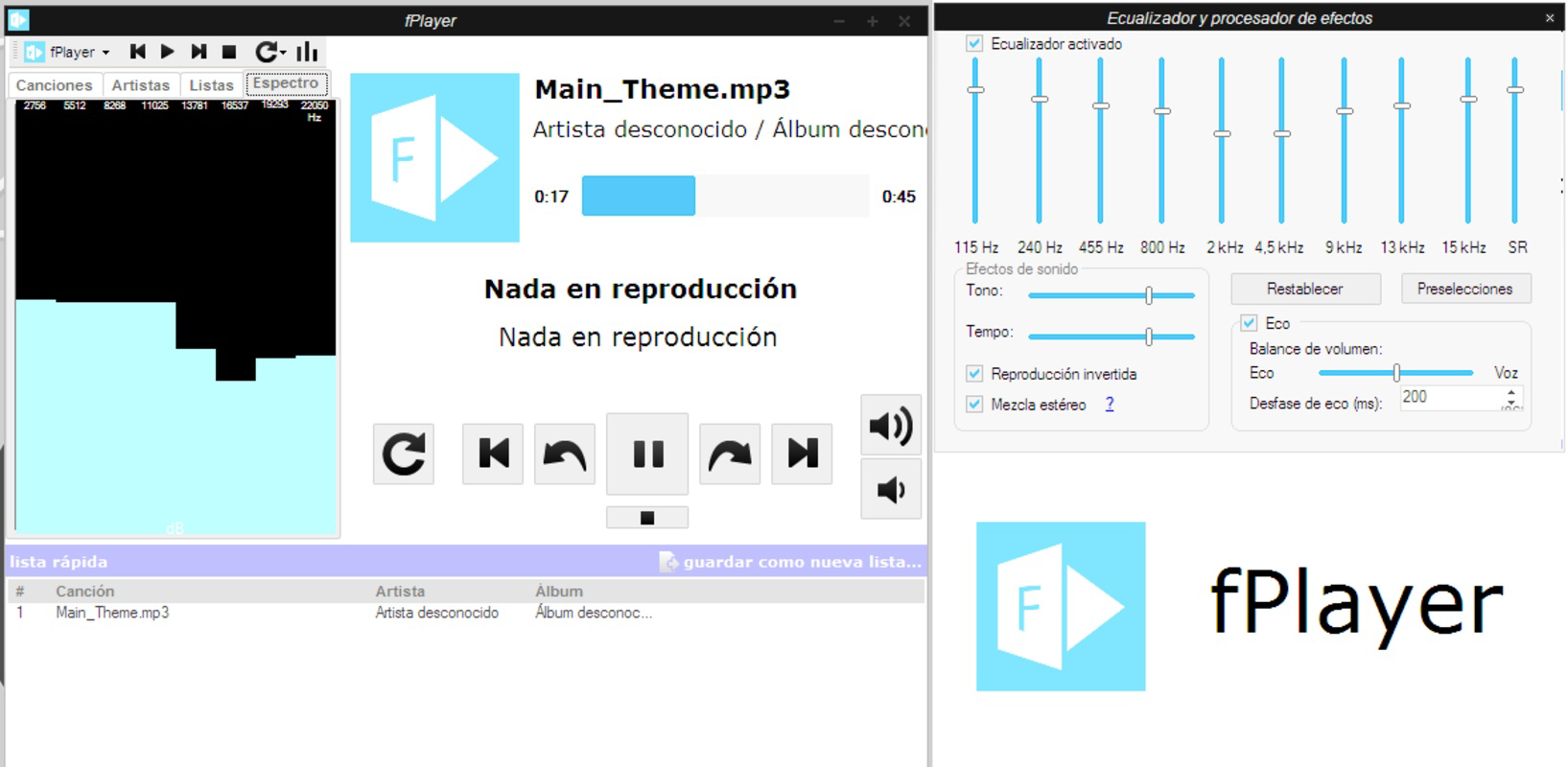
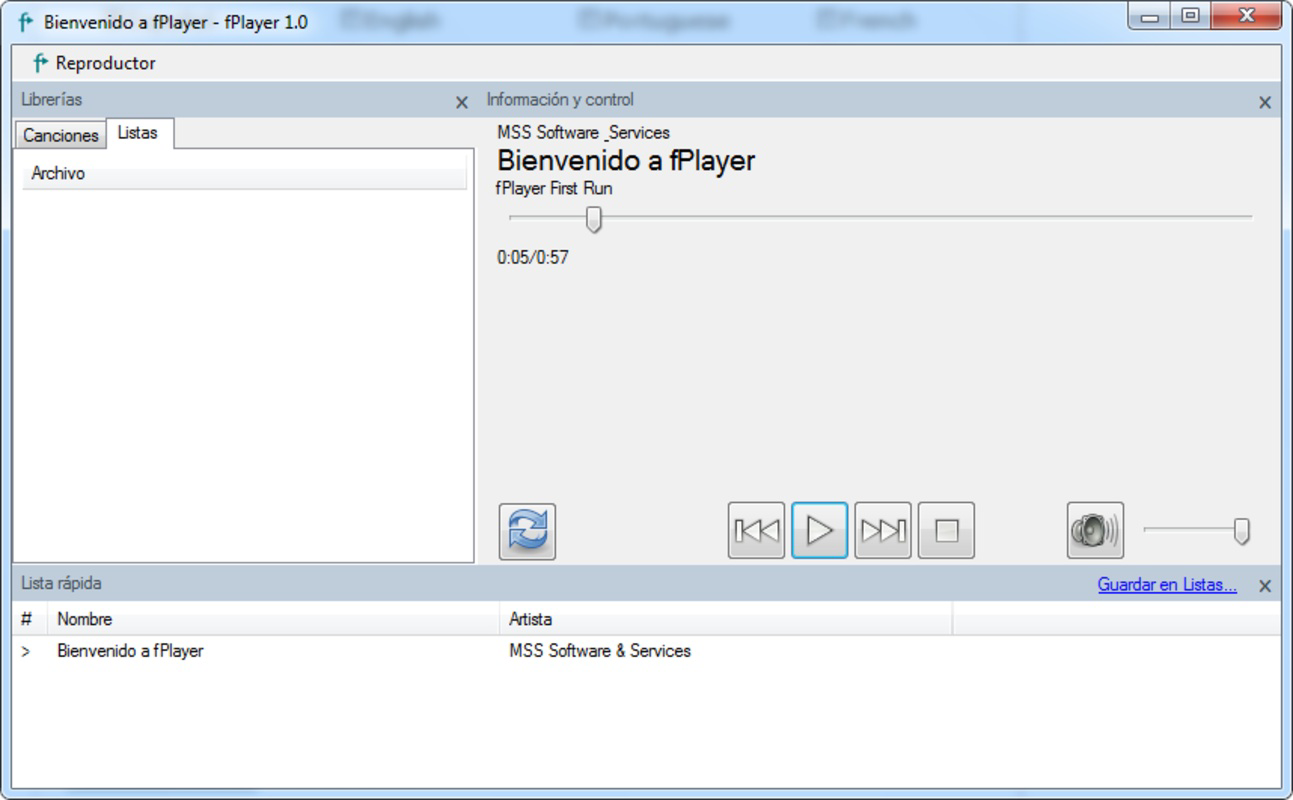
- Simple Interface: fPlayer presents a clean, uncluttered layout focused on core playback functions. This design philosophy minimizes distractions, allowing users to focus on music rather than navigation, which is especially beneficial for users who prefer minimalistic tools.
- ID3 Tag Editing: The ability to read and edit ID3 metadata enables users to correct song titles, artist names, album details, and genre tags. This functionality enhances library organization and ensures accurate metadata across devices or media players.
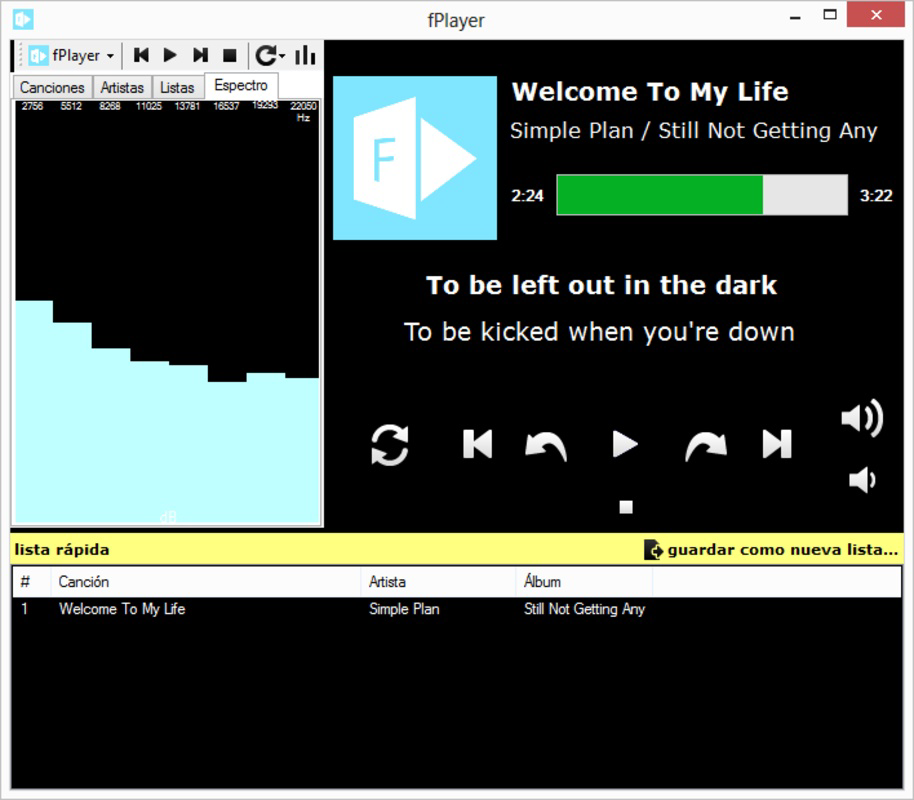
- Party Mode: A distinctive feature, party mode displays the current track and the next song in queue. It also supports on-screen lyrics, transforming the listening experience into an interactive karaoke session—ideal for social events or personal entertainment.
- Playlist Management: Users can create, save, and manage custom playlists. Support for M3U format allows seamless sharing and import of playlists from other applications, increasing flexibility for users with diverse music sources.
- Format Compatibility: Built on the .NET Framework, fPlayer supports a broad range of audio formats, enabling playback without requiring additional codecs or software installations.
For instance, a user preparing for a party can use party mode to preview the next track while the current song plays, ensuring a smooth flow. Meanwhile, a music archivist might use the ID3 tag editor to standardize metadata across hundreds of tracks. These features, though modest in scope, deliver tangible value in everyday scenarios.
Interface, UX & Performance
fPlayer’s interface is designed with usability at its core. The layout is intuitive, with playback controls, a playlist panel, and metadata display arranged in a logical, accessible manner. Visual elements are minimal, avoiding visual clutter while maintaining clarity. Navigation is straightforward, relying on standard mouse and keyboard inputs, which ensures accessibility for users of varying technical proficiency.
Although the developer did not list formal performance metrics, the app’s small file size and reliance on the .NET Framework suggest efficient resource usage. It is expected to run smoothly on systems with modest hardware, including older Windows machines. Responsiveness is likely consistent during playback, with minimal lag during playlist switching or tag editing.
Stability appears to be a consistent trait, given the app’s long-standing availability since 2013. However, the developer did not provide specific information about crash rates, memory usage, or update frequency. Users should expect a reliable experience based on its proven track record, though those seeking frequent updates or modern UI enhancements may find it dated by current standards.
Platform Compatibility & Technical Requirements
fPlayer is designed for the Windows platform and is compatible with Windows 7, Windows 8, and earlier versions. The software version is 1.0.0.0, with a file size of 2.4 MB, indicating a lightweight, efficient application. The developer did not specify minimum OS requirements or exact hardware needs beyond compatibility with older Windows systems.
As the app is built on the .NET Framework, users must have the appropriate runtime installed on their system. However, the developer did not provide details on required .NET versions or installation dependencies. It is recommended to ensure that the .NET Framework is up to date to avoid potential compatibility issues.
While the app is free to download and use, the developer did not disclose information about future updates, security patches, or cloud integration. Users should verify the source of the download to ensure it is secure and unmodified.
Pros and Cons
Pros
- Lightweight design at only 2.4 MB
- Supports multiple audio formats via .NET Framework
- Intuitive, distraction-free interface
- Includes ID3 tag editing for music library management
- Unique party mode with on-screen lyrics for karaoke
- Supports M3U playlist format for cross-application compatibility
Cons
- Only available for Windows, with no mobile or macOS support
- Latest version released in 2013; no recent updates indicated
- Developer did not specify .NET Framework version requirements
- No cloud sync or multi-device access features
- Interface may appear outdated compared to modern audio players
FAQ
Is fPlayer safe to download and install?
Yes, fPlayer is free and available for download. However, users should obtain the app from a trusted source to ensure it is unmodified and secure.
Can I use fPlayer on Windows 10 or Windows 11?
While the app is compatible with Windows 7 and 8, the developer did not confirm support for Windows 10 or 11. Users may need to test compatibility or use compatibility mode.
Does fPlayer support MP3, WAV, and FLAC files?
Yes, fPlayer supports a wide range of audio formats, though specific formats were not listed. Its compatibility is attributed to the .NET Framework.
Is the app updated regularly?
The last release was in 2013, and no recent updates have been published. The developer did not provide information on future update plans.
Can I edit song metadata like title and artist?
Yes, fPlayer includes an ID3 tag editing feature that allows users to modify metadata such as song title, artist, album, and genre.
Final Thoughts
fPlayer remains a compelling choice for users seeking a no-frills, efficient audio player on Windows. Its combination of a clean interface, playlist functionality, and unique party mode with karaoke support offers a distinctive experience in a niche market. While it lacks modern features like cloud sync or cross-platform availability, its core strengths—lightweight design, format compatibility, and metadata editing—make it a reliable tool for managing and enjoying music.
Those who prioritize functionality over flashy design, especially users with older systems or limited storage, will find significant value in this app. It’s particularly useful for casual listeners, music organizers, and event hosts who want an easy way to manage tracks and engage in interactive playback.
Download fPlayer now
Guides & Tutorials
How to install fPlayer
- Click the Download button above.
- Once redirected, accept the terms and click Install.
- Wait for the fPlayer download to finish on your device.
How to use fPlayer
This software is primarily used for its core features described above. Open the app after installation to explore its capabilities.
User Reviews
No reviews yet. Be the first to share your experience.
You may also like
more
Que no te pillen¡
About !Que no te pillen¡Reviewed by Jason A. BilbreyShow MoreShow Less

3D Combat Zone
About 3D Combat ZoneOriginally released in 1983, 3D Combat Zone immerses players...

666: El día del portal
About 666: El día del portalOn June 6, 2006, Agent P. Stone uncovers a sinister...

80 in 1 Best Flash games
About 80 in 1 Best Flash games 80 in 1 Best Flash games is a collection of 80 fl...

ABYSS SEEKERーーWhat Do You See Deep in The Abyss
About ABYSS SEEKERーーWhat Do You See Deep in The AbyssIn ABYSS SEEKER, players...

ACA NEOGEO THE KING OF FIGHTERS 2002 for Windows
About ACA NEOGEO THE KING OF FIGHTERS 2002 for WindowsTHE KING OF FIGHTERS 2002,...